How-to
How to go live on WeLoop and earn from gifts
Start a live from the + button, bring on guests, set a likes goal and receive gifts. Creators keep up to 95% of what they're gifted.
 weloop
Get the app
Guide
WeLoop has two kinds of balance. Coins are what you buy and spend in the app, mostly on gifts during lives. Rewards are the money you made from gifts other people sent you, shown in US dollars, and you can withdraw them through Stripe.
Both live in your wallet. Here's where to find it and what each button does.
The screen is called "Balance", and it has two cards at the top:
Below them is a list of actions: "Buy coins", "Transfer rewards to the wallet", "Your rewards", "Transaction history", "USD withdraw" and "Help & Support". The sections below take them one at a time.
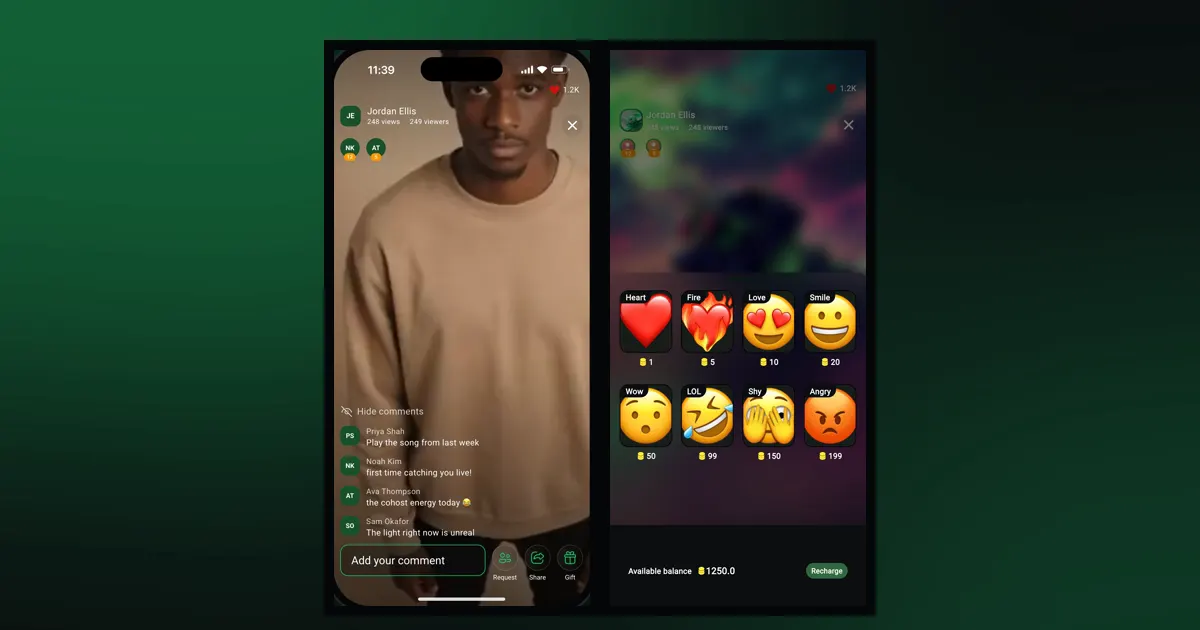
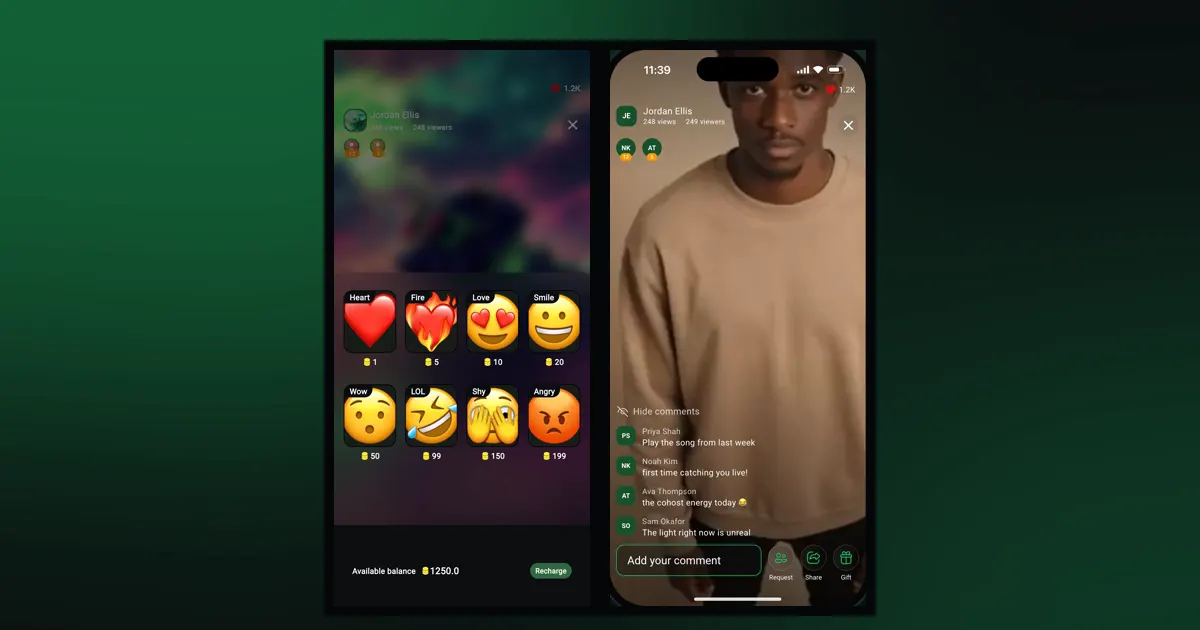
Tap "Buy coins" in the wallet, or "Recharge" from the gift sheet during a live. Pick a coin pack and pay the way you pay for any in-app purchase, through the App Store or Google Play.
If you try to send a gift you can't afford, WeLoop tells you "Insufficient balance" and offers "Recharge Coins" so you can top up without leaving the live.
Your gift plays an animation on screen, and the biggest gifters show up as the live's top three. Some gifts are AR gifts that put a face mask on the host for a few seconds. Our live guide covers the rest of what viewers and hosts can do.
When someone sends you a gift during your live, its value lands in "FROM REWARDS", in US dollars. Creators keep up to 95% of what they're gifted.
To see each gift you received, tap "Your rewards". That opens "Rewards History", with who sent each gift, how many coins it was and when. After every live, "Live stats" also shows your "Live Earnings" for that stream.
Yes. Tap "Transfer rewards to the wallet". It opens "Convert coins", where you enter an "Amount to transfer" and see the "Amount you receive" before you tap "Convert".
This is handy if you want to send gifts to other creators using what you earned. The amount you receive is worked out from WeLoop's current exchange rate, so check it before you convert.
A few things to know before you do:
When a withdrawal goes through, you get a "Withdrawal Confirmation" notification.
Tap "Transaction history" in the wallet. It lists each transaction with its type, amount, status and date. "Your rewards" is the place to look for gifts you received.
"Help & Support" in the wallet opens WeLoop's payment terms.
Open your profile menu and tap "Statistics". At the top you'll see your Followings, Followers and Posts. Below that is a list called "Eligible videos for monetization", with the note "Videos longer than 30 seconds".
The list shows your own videos that are longer than 30 seconds, each with its view count and length. If you haven't posted one yet, it says "No eligible videos yet!" Views on these videos are counted once someone has watched for 6 seconds.
The app doesn't say what an eligible video earns, so treat the list as a record of which of your videos qualify, not as a promise of payment. Gifts during lives are the earning you can see in your wallet today.
You may see a "Wheel" in your profile menu that opens the Lucky Wheel, "WeLoop Spin". You "SWIPE TO SPIN", and anything you win is listed under "YOUR WINNINGS". "INVITE FRIENDS" lets you earn extra spins by inviting people from your contacts.
The wheel is switched on and off by WeLoop, so it isn't always there, and what it offers can change. Don't count on it as a way to earn.
Coins are bought through the App Store or Google Play, and withdrawals run through Stripe. Never send money, coins or gifts to someone just because they messaged you asking for them, and never share your login. The safety and privacy guide covers blocking and reporting.
Open your profile, tap the menu and choose "Wallet". The screen is called "Balance".
In the wallet, tap "USD withdraw", enter an amount and tap "Withdraw". Withdrawals go through Stripe, and Stripe's fees are taken from the amount.
Rewards are the money you made from gifts, shown in USD. Coins are what you spend in the app, such as on gifts.
Creators keep up to 95% of what they're gifted.
How-to
Start a live from the + button, bring on guests, set a likes goal and receive gifts. Creators keep up to 95% of what they're gifted.
Safety
How to block and report on WeLoop, mute chats, run private groups, manage location, sign-ins and notifications, and delete your account.
About
WeLoop is a free social app with four feeds, short videos, stories, chat, groups, lives and calls, plus controls over what you see. Here's a tour.
Free on iPhone and Android. Set it up your way in a minute.