Guide
WeLoop's four feeds explained: Friends, For You, Loops and Nearby
WeLoop has four feeds: Friends, For You, Loops and Nearby. Here's what each one shows, how to sort and filter them, and where stories and lives fit in.
 weloop
Get the app
About
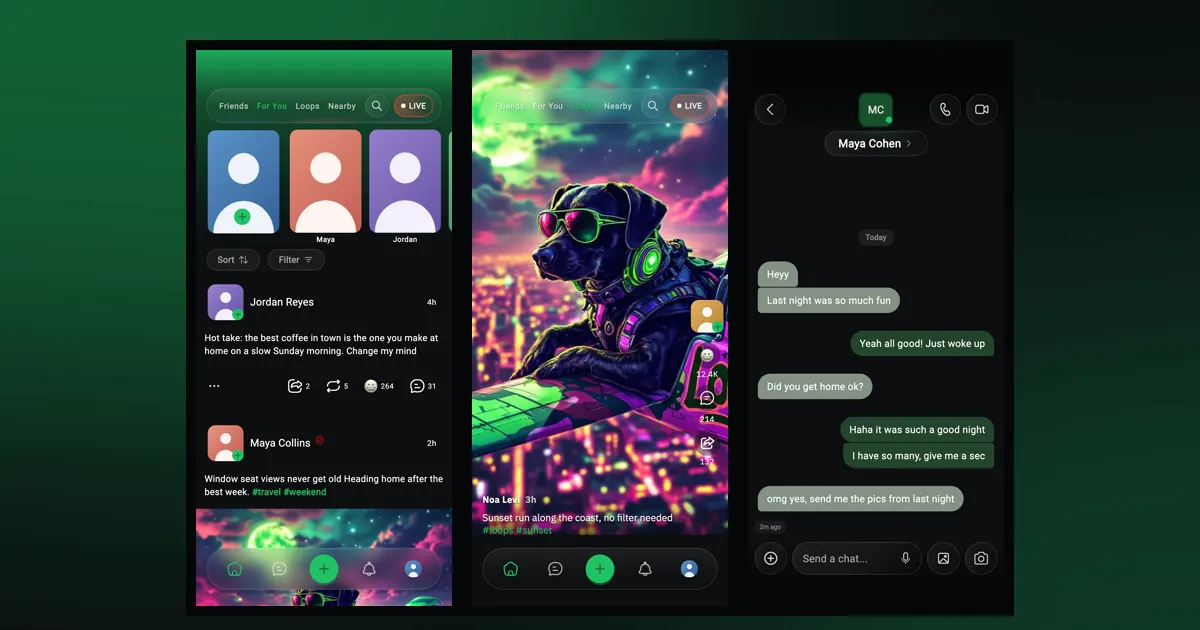
WeLoop is a free social app for iPhone and Android where you can post photos and videos, watch short Loops, chat, join groups, go live and call your friends. It gives you four feeds instead of one, and lets you decide what kinds of content reach you and how the whole app looks.
Here's a tour of what's inside, with a link to a detailed guide for each part.
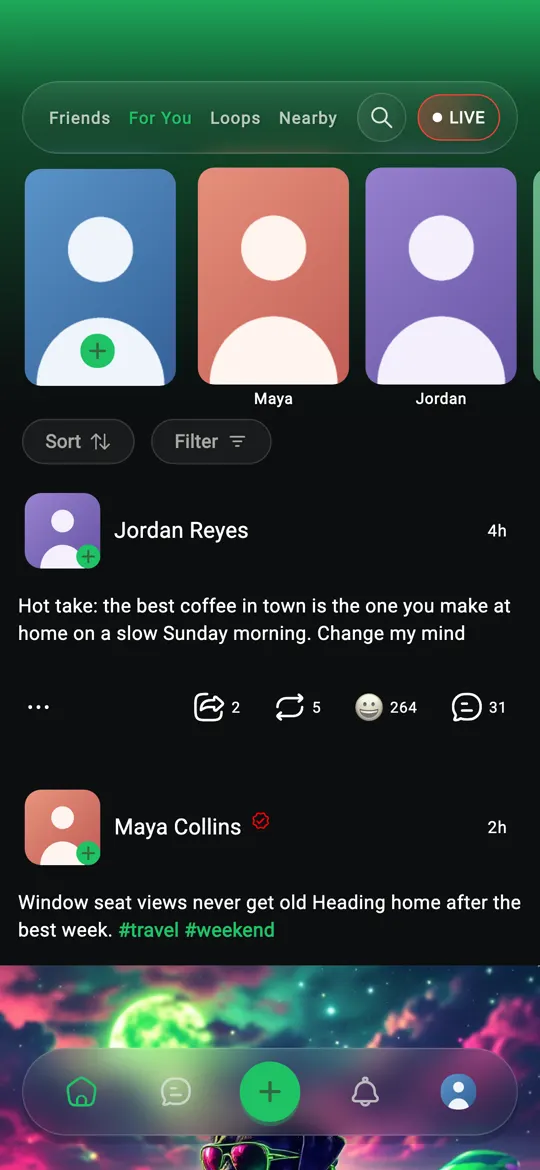
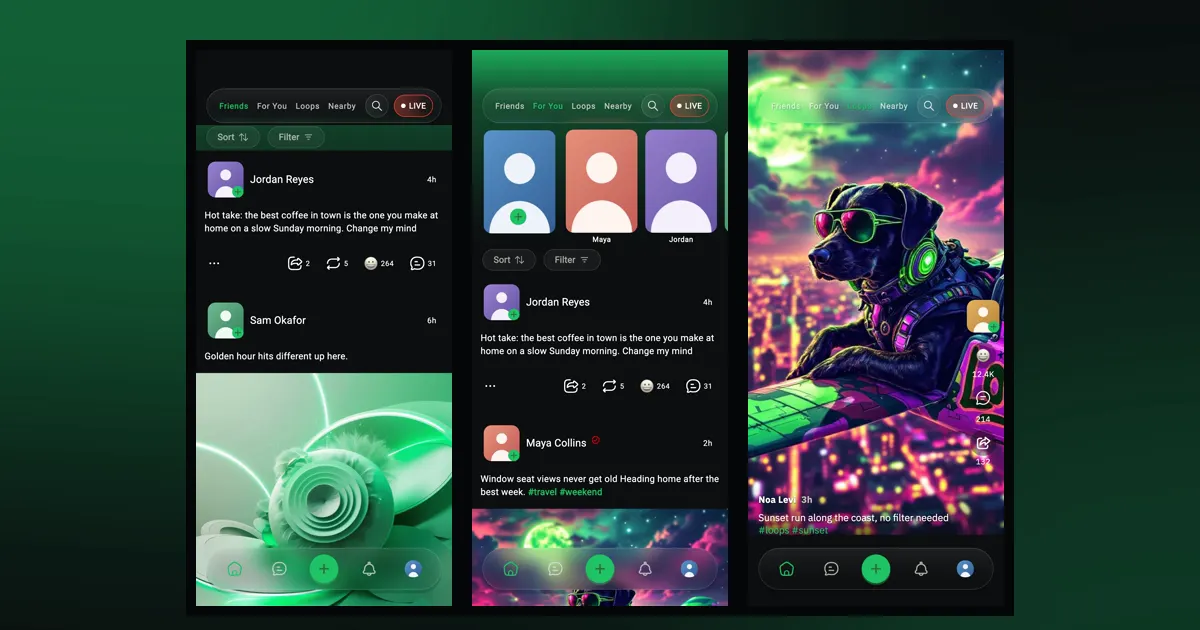
Home has four tabs: Friends, For You, Loops and Nearby. Friends is for your friends: people you follow who follow you back. For You is for discovering new people, and it keeps track of what you've seen so it doesn't repeat. Nearby shows posts from around you, using your location.
Each tab has its own sort ("Newest" or "Oldest") and content-type filter. Read more in WeLoop's feeds explained.
Loops are vertical videos you swipe through, one at a time. Hold to watch at 2× speed, switch to "Clear mode" to hide the buttons, and rewatch ones you've seen even without a connection.
Making one is quick: record up to 2 minutes, add filters, FX or a face mask, and trim it in the editor. See how to make and watch Loops.
Tap the + button to post. A post can hold up to 4 photos or videos, or styled text with your own font, outline, shadow and background. Captions come with AI help: "AI Write", "Improve" and "Shorten".
Polls take 2 to 10 options, each one text or an image. You choose how long the poll runs (1 hour up to 1 week) and when people see the results: "Always Visible", "After Voting" or "After Poll Ends".
Stories sit in a row above your feed. When you post one, you choose where it goes: "To Public", "My Story", "My groups" or "Nearby". You can see who watched in "Story Viewers", and replies come to you as chat messages. The stories and search guide has the details.
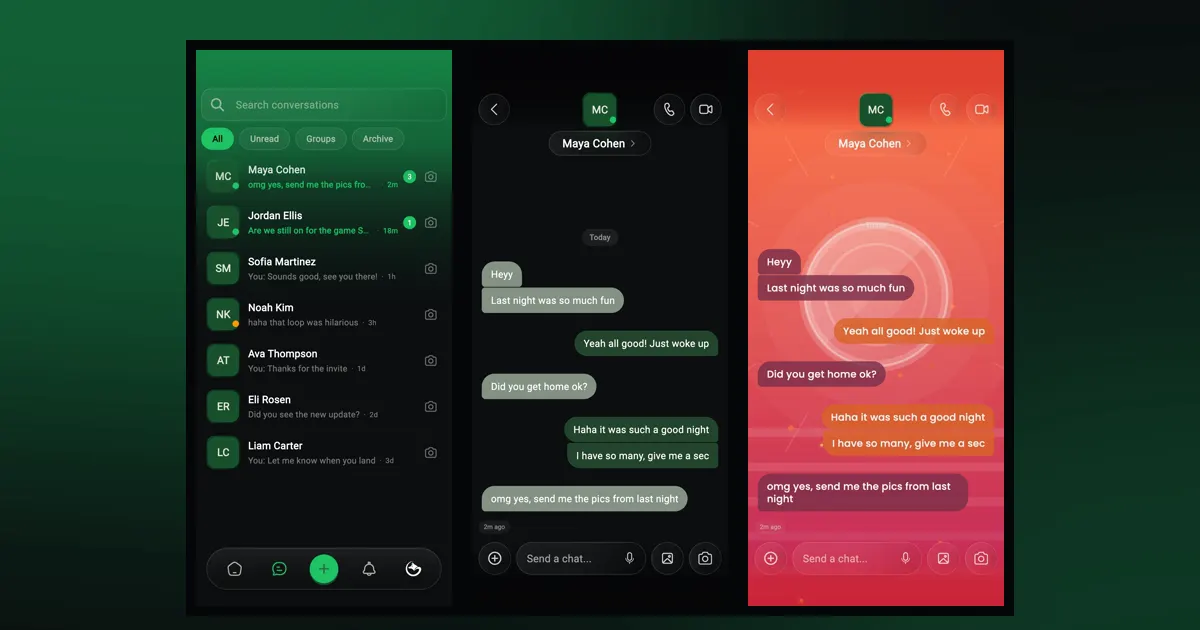
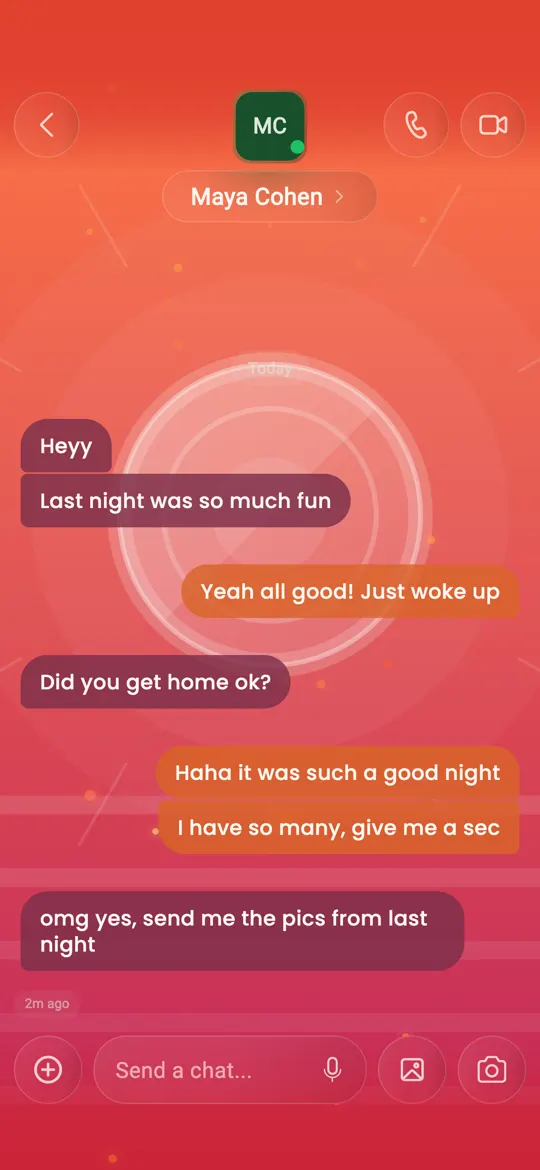
Chat covers one-on-one and group conversations, with reactions, replies, voice notes, stickers, photos, videos and documents. You can edit or delete what you sent, pin up to 6 chats and archive the rest. When two people follow each other, WeLoop opens a chat for them with a prompt to say hi.
Each chat can have its own theme, from 11 ready-made ones like Sunset or Ocean, or your own background, animation, bubble shape and font. The background is shared, so both of you see it.
Groups can be public or private, and the person who creates one decides whether new members are approved automatically or by hand. Each group has its own posts, a group chat, and rules. Find groups under Discover, or see the ones you're in under Joined and My Groups. The chat and groups guide covers both.
Anyone can go live from the + button. Hosts can add a topic, set a likes goal, invite guests on screen, and turn comments on or off. Viewers can comment, ask to join, and send gifts, some of which put a face mask on the host.
Gifts are bought with coins, and creators keep up to 95% of what they're gifted. Read how live gifting and creator earnings work.
You can make voice and video calls to the people you chat with, one-on-one or in a group. Calls are still in beta. They come with a floating mini window, a banner to rejoin, and face masks. See WeLoop voice and video calls.
WeLoop lets you restyle the app itself. Pick one of 14 Looks, like Midnight, Frost or Fiesta, or build your own from 8 palettes, 30 fonts and feed post styles. A theme changes the app on your phone only, so nobody else sees it. The Looks and themes guide shows every option.
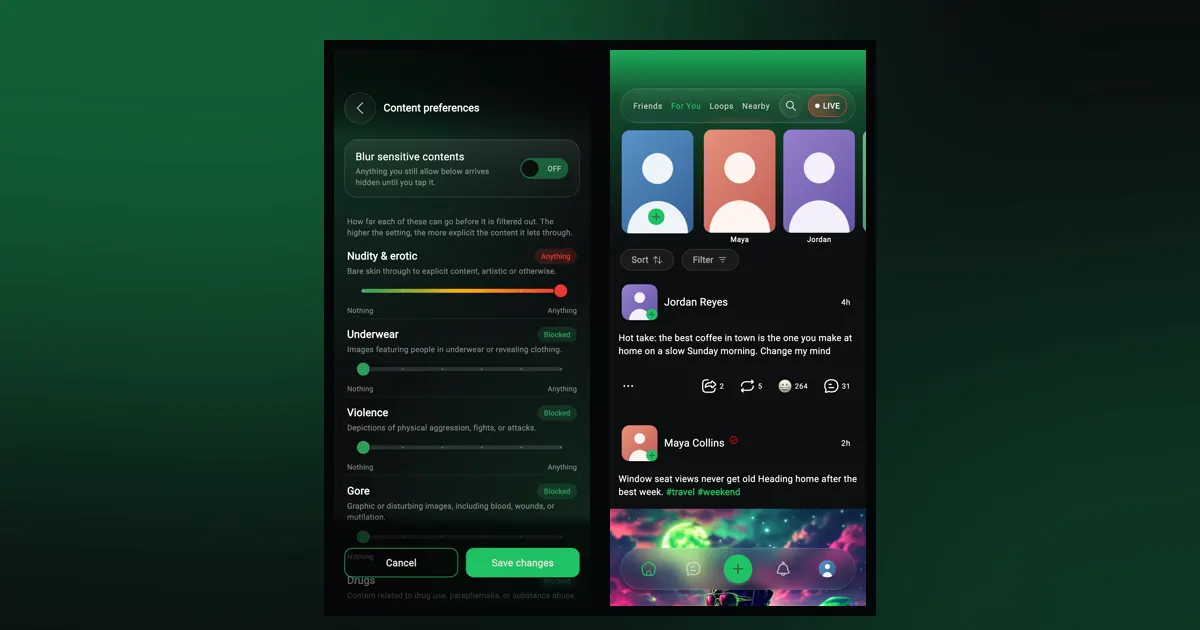
You decide what reaches your feed. Each post carries a rating for nine categories, and you set each one from Blocked to Anything. Turn on "Blur sensitive contents" and anything you still allow arrives hidden until you tap it. Here's how content preferences work.
You can block anyone, report posts and stories, and manage your "Blocked accounts" list. "Registered devices" shows where you're signed in and lets you sign a device out, and "Terminate Account" deletes your account if you ever want to leave. The safety and privacy guide walks through each one.
Your wallet holds coins for sending gifts, and rewards from the gifts you receive. You can turn rewards into coins or withdraw them in US dollars. Read how coins, rewards and withdrawals work.
You can try it before you sign up: here's what WeLoop shows without an account. If you're comparing apps, see WeLoop next to TikTok, Instagram and Snapchat.
WeLoop was founded by Levi Borntreger, James Troyer and Chris Borntreger, co-founders born and raised Amish. Read their story on the About page.
Yes. WeLoop is free on iPhone and Android. Coins for sending live gifts are an optional in-app purchase.
Yes, in part. Without signing in you can scroll For You and watch Loops; Friends, Nearby, posting, chat and lives need an account.
WeLoop was founded by Levi Borntreger, James Troyer and Chris Borntreger, co-founders born and raised Amish in Wisconsin and Missouri.
Yes. Content preferences let you set nine categories from Blocked to Anything, and you can blur sensitive posts until you tap them.
Guide
WeLoop has four feeds: Friends, For You, Loops and Nearby. Here's what each one shows, how to sort and filter them, and where stories and lives fit in.
Safety
Set nine content categories from Blocked to Anything, blur sensitive posts until you tap, and tune For You. Here's how WeLoop content preferences work.
Guide
How WeLoop chat works: pinning and archiving, replies, reactions and voice notes, chat themes both people see, and public or private groups.
Free on iPhone and Android. Set it up your way in a minute.