Safety
WeLoop content preferences: how to choose what you see
Set nine content categories from Blocked to Anything, blur sensitive posts until you tap, and tune For You. Here's how WeLoop content preferences work.
 weloop
Get the app
Safety
WeLoop's Terms say you must be at least 16 years old to use it, and the App Store rates it 17+. If your teen is under 16, WeLoop isn't for them yet; if they're 16 or 17, this guide covers what protects a new account, what to set up together, and what WeLoop doesn't have.
We've tried to be plain about both sides, so you can decide with the facts in front of you.
The Terms set the minimum at 16, and the privacy policy says the platform isn't intended for anyone younger. The Terms also don't allow accounts that mainly feature or represent kids under 16. On iPhone, the App Store lists WeLoop as 17+, so a phone with Screen Time age limits may block the download for younger users.
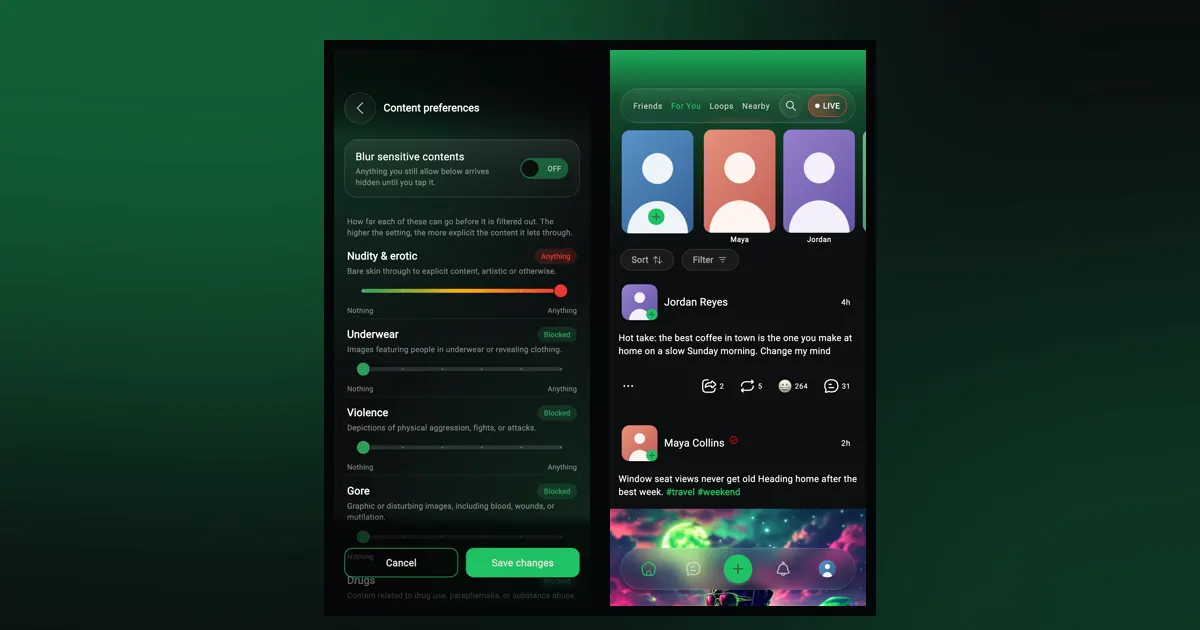
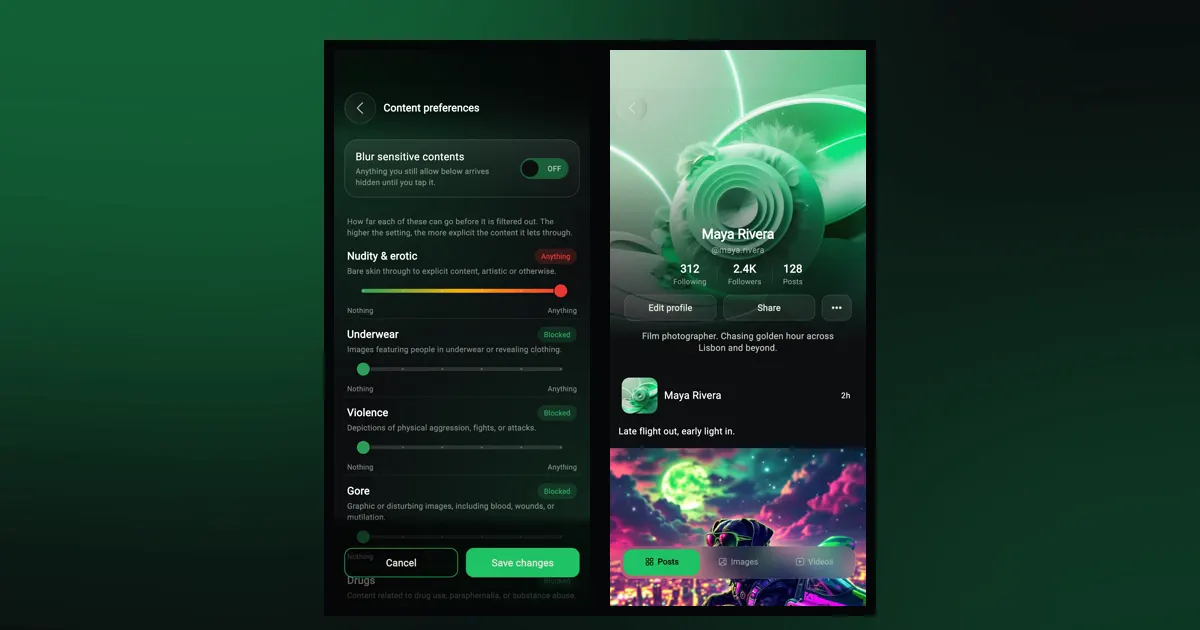
WeLoop has "Content preferences" with nine categories: Nudity & erotic, Underwear, Violence, Gore, Drugs, Alcohol, Rude, Gambling and Hate. Each one has six levels, from Blocked to Anything.
On a new account, all nine start at Blocked. Each post carries a rating for each category, and a post is shown only when its rating sits at or under the level set for that category.
At the top of the same screen is "Blur sensitive contents". With it on, anything you've chosen to allow arrives hidden, and you tap "View anyway" to see it. It's a useful extra step if your teen opens up a category later.
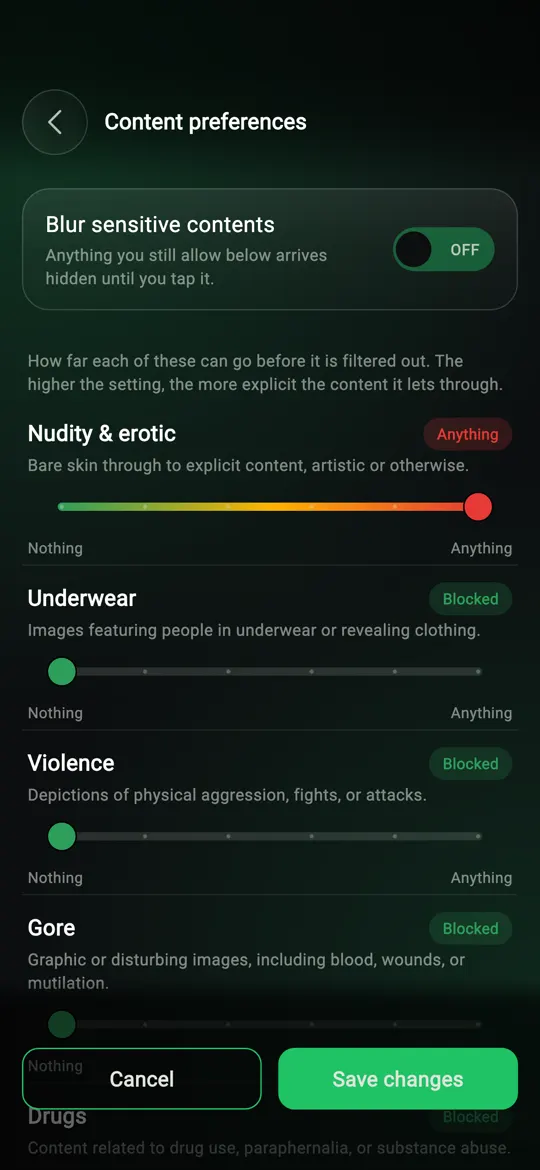
Our content preferences guide explains every category and level.
Friends are mutual follows. When two people follow each other, WeLoop counts them as friends and opens a chat between them automatically.
Anyone can try to message. There's no setting to limit who can start a chat, so blocking is the main tool:
Blocked people are listed under "Blocked accounts" in Settings, where you can unblock them later.
Muting. In a chat's details, "Mute notifications" stops a chat from buzzing the phone without leaving it.
Private groups. A group can be a "Private Group", where outsiders see "This group is private", and its creator can choose "Manually approve users" so every join request is checked first.
Reporting. To flag something to WeLoop, report the post or story: tap the three dots and choose "Report Post" or "Report Story". "Block user and Report post" does both at once.
Nearby is one of the four feeds, and it uses your phone's location to show posts from around you. When your teen posts a story, "Nearby" is one of the places they can share it; picking it attaches their location to that story. The other story choices don't.
Location access is controlled by the phone. If you'd rather keep it off, turn off location for WeLoop in the phone's settings. Nearby won't work, but the rest of the app does.
Also look at "Edit Profile" together. It has fields such as Location, Phone and Birthday, and none of them have to be filled in.
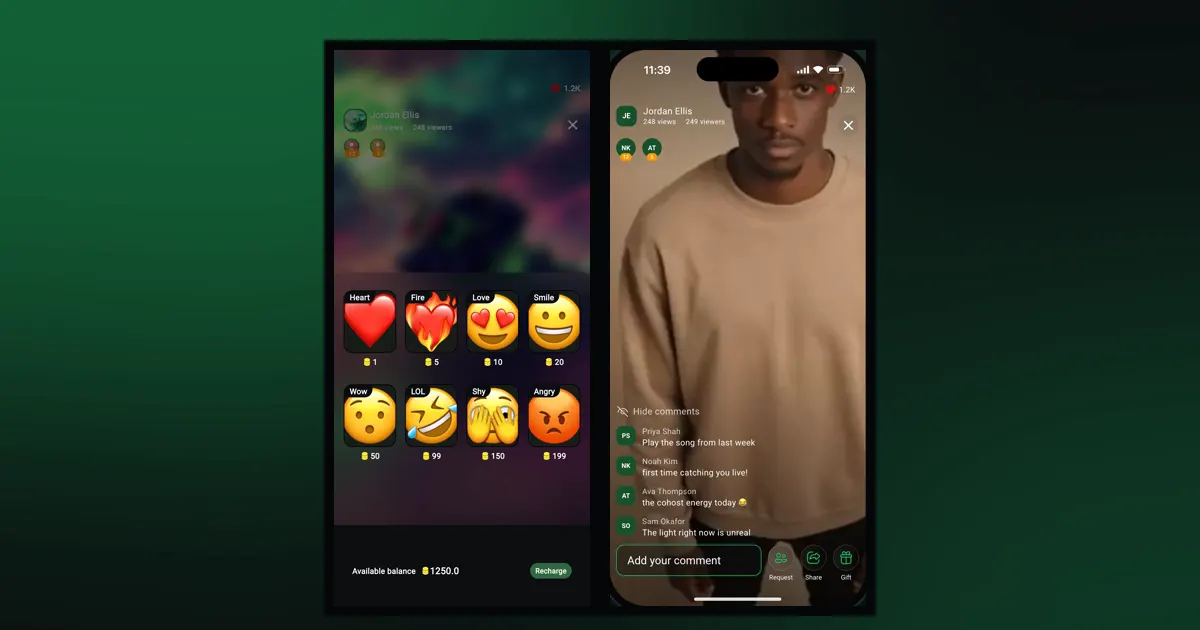
Yes. Coins are bought with real money through the App Store or Google Play, and they're spent on gifts in lives. The simplest safeguard is the phone's own purchase controls: Apple's Screen Time and Ask to Buy, or Google Play's parental controls and purchase approval. Our coins and wallet guide explains how coins work.
WeLoop has no setting to limit who can watch a live, so treat going live as public. Viewers can comment and send gifts. To appear on screen, a viewer has to tap "Request" and the host has to accept. A host can also turn off "Allow comments" or "Allow guests" in "Live Settings".
Voice and video calls work from chats and are still in beta.
"Registered devices" in Settings lists every phone signed in to the account. Tap "Revoke" next to one you don't recognize. It's worth a look together after a phone is lost or sold.
Deleting the account: open Settings, tap "Terminate Account" under Account, then "DELETE ACCOUNT" and confirm. This can't be undone. Our safety and privacy guide covers these steps in more detail.
If those matter to your family, that's a fair reason to wait.
A short list to go through on the teen's phone:
WeLoop's Terms say you must be at least 16 years old. The App Store rates the app 17+.
Not a dedicated parental dashboard. You can set content preferences, blocking and muting on the teen's account, and use your phone's own controls for purchases and location.
No. WeLoop has no private-account switch, so treat anything posted to the feed as public.
Yes. Coins are bought with real money through in-app purchase. Apple Screen Time and Google Play parental controls can require approval for purchases.
Safety
Set nine content categories from Blocked to Anything, blur sensitive posts until you tap, and tune For You. Here's how WeLoop content preferences work.
Safety
How to block and report on WeLoop, mute chats, run private groups, manage location, sign-ins and notifications, and delete your account.
Guide
Buy coins to send gifts in lives, collect rewards in USD when you're gifted, and withdraw through Stripe. Here's how the WeLoop wallet works.
Free on iPhone and Android. Set it up your way in a minute.