Guide
WeLoop chat and groups: messages, chat themes and communities
How WeLoop chat works: pinning and archiving, replies, reactions and voice notes, chat themes both people see, and public or private groups.
 weloop
Get the app
Guide
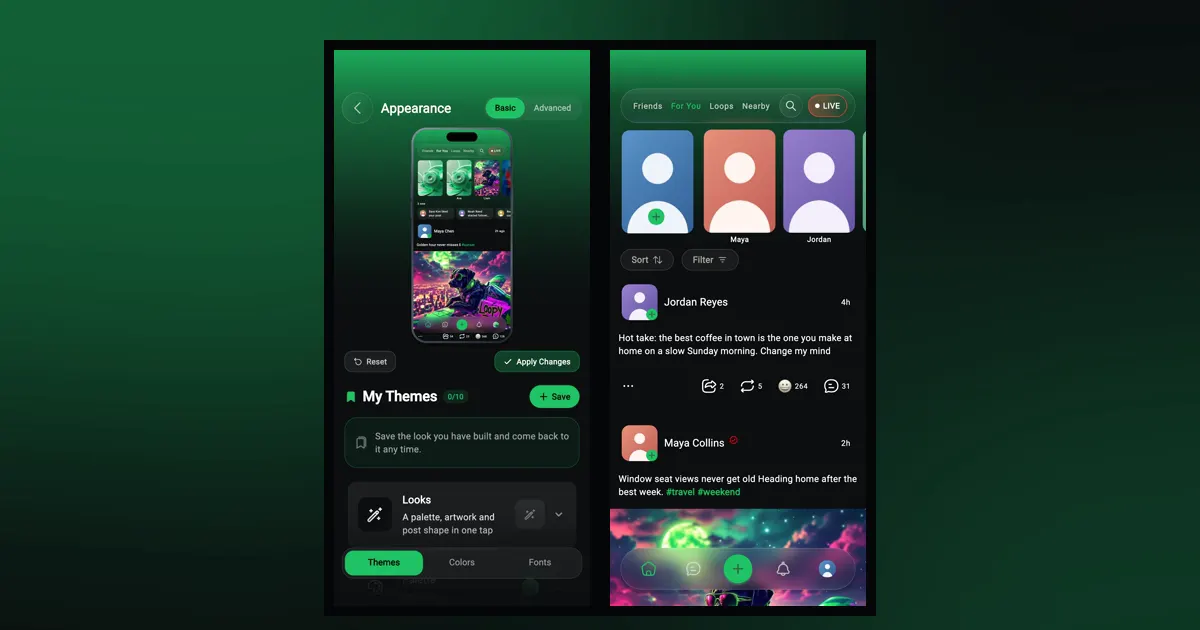
To change how WeLoop looks, open your profile menu, tap "Theme settings" and pick one of 14 Looks under Themes; tap "Apply Changes" to keep it. A Look changes the colors, background, typeface and feed post style in one tap, and you can fine-tune any of it yourself.
Your theme only changes the app on your phone. Other people don't see it, and you don't see theirs. For a look that both people in a conversation share, use chat themes instead (more on that at the end).
You can try the Looks before you download: the home page has a live preview.
If you leave with unsaved changes, WeLoop asks whether to apply them, discard them, or keep editing.
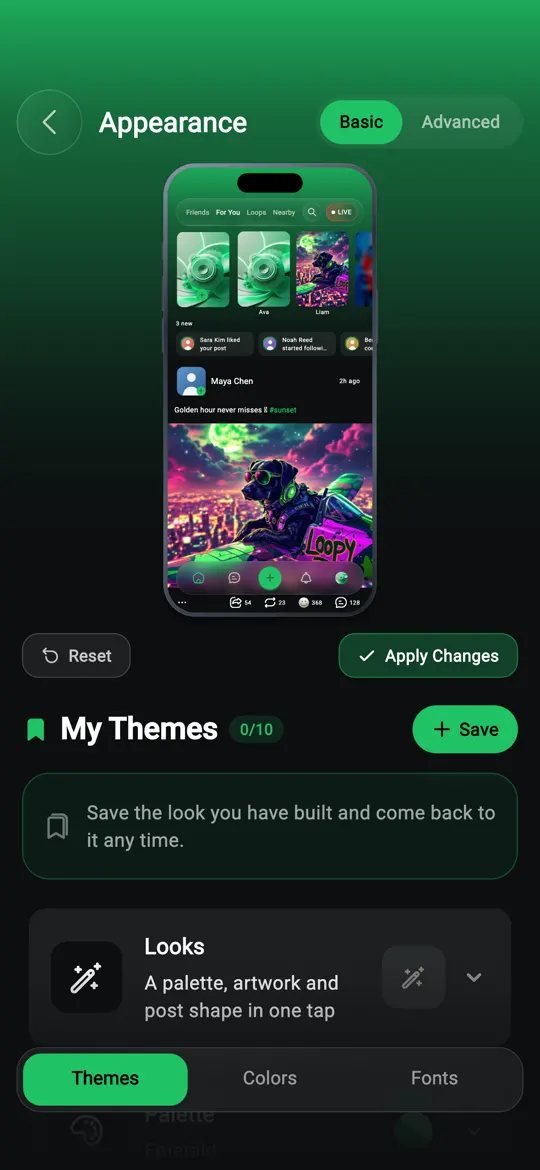
Basic keeps it simple, with three tabs: Themes, Colors and Fonts.
Advanced adds two more, Feed and Others, and opens up more color and font controls. Use it if you want to set exact colors, choose a typeface, or change how posts look in your feed.
Switching back to Basic resets the things Basic has no controls for: the font, font weight, corner radius and feed post styling. Your colors, text color and font size stay.
A Look is a complete style you apply in one tap. Each one sets:
There are 14: Beast, Payday, Kickoff, Hoops, Varsity, Arena, Circuit, Frost, Evergreen, Sweetheart, Midnight, Fiesta, Summit and Sponge. Pick one under Themes, then adjust anything you like on the other tabs.
If you only want new colors, there are 8 palettes: Emerald, Ocean, Indigo, Violet, Rose, Sunset, Gold and Slate.
In Basic, the Colors tab has a "Seed Color". Choose one color and WeLoop builds the rest from it: "All the colors will be generated from the seed color automatically."
In Advanced, the Colors tab lets you set each one:
In Basic, the Fonts tab sets the Font Size and Text Color. Switch to Advanced to pick the typeface itself from 30 fonts in 7 groups:
| Group | Fonts |
|---|---|
| Feeling | 4 |
| Appearance | 4 |
| Calligraphy | 3 |
| Serif | 5 |
| Sans Serif | 8 |
| Technology | 5 |
| Seasonal | 1 |
Advanced also adds the Font Weight: Light, Regular, Medium or Bold.
Switch to Advanced and open the Feed tab. You can change:
These apply across your feeds, so the For You and Friends feeds match your theme.
Others holds "Elements Styles" for buttons and other parts of the app: "Rounded Corners", button height, shadow and text size.
When you've built something you like, save it under "My Themes":
You can keep up to 10 saved themes.
In "Theme settings", tap "Reset" to put the app back to WeLoop's standard theme, then "Apply Changes". Your saved themes stay under "My Themes", so you can go back to one later.
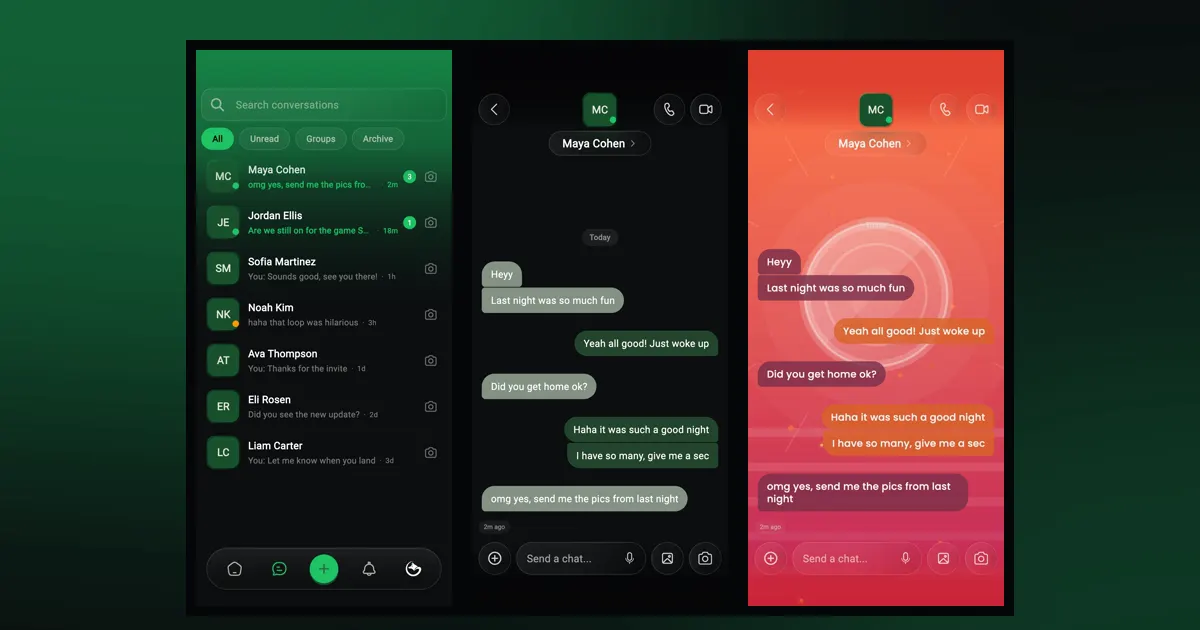
Yes, and that's a separate setting. Inside a conversation, open the chat details and tap "Chat appearance" to choose a chat theme, background, bubbles and font. Unlike your app theme, the chat background and pattern are shared, so both of you see them; fonts and bubble colors stay on your phone. The chat and groups guide covers it step by step.
No. A Look or theme changes the app on your phone only. Other people see WeLoop in their own theme.
Up to 10, under "My Themes".
Open "Theme settings" and tap "Reset".
Guide
How WeLoop chat works: pinning and archiving, replies, reactions and voice notes, chat themes both people see, and public or private groups.
About
WeLoop is a free social app with four feeds, short videos, stories, chat, groups, lives and calls, plus controls over what you see. Here's a tour.
Guide
WeLoop has four feeds: Friends, For You, Loops and Nearby. Here's what each one shows, how to sort and filter them, and where stories and lives fit in.
Free on iPhone and Android. Set it up your way in a minute.