Guide
WeLoop's four feeds explained: Friends, For You, Loops and Nearby
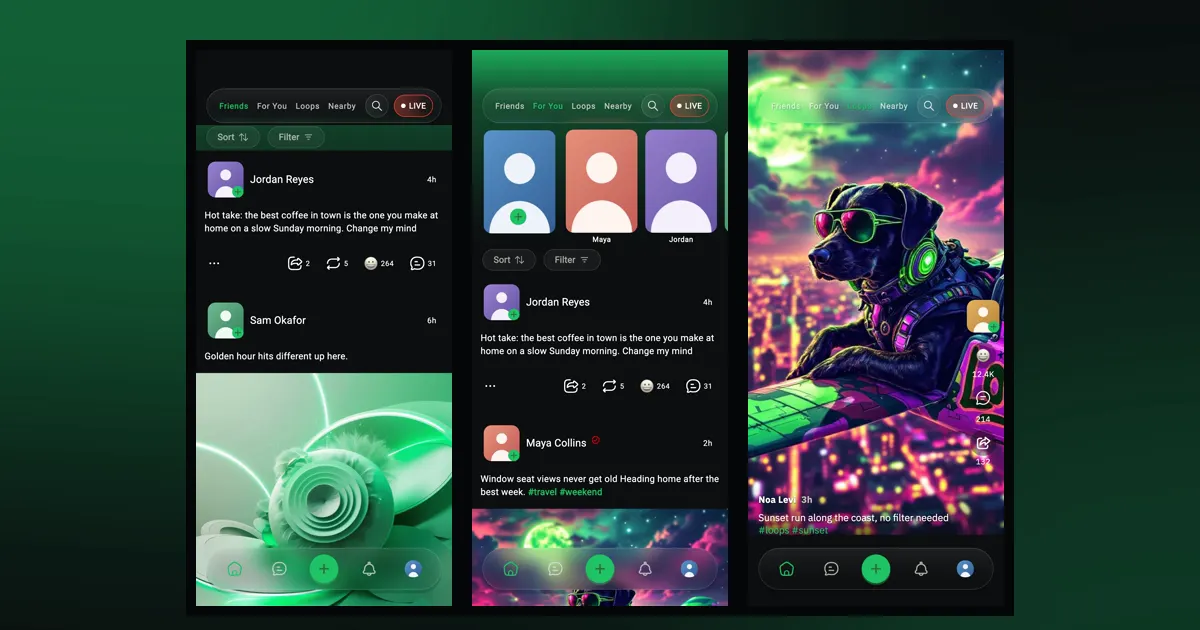
WeLoop has four feeds: Friends, For You, Loops and Nearby. Here's what each one shows, how to sort and filter them, and where stories and lives fit in.
 weloop
Get the app
Guide
You can use WeLoop without an account: the app opens straight to the home feed, where you can scroll For You, watch Loops, search, and open people's profiles. Anything that involves you, like posting, reacting, following or chatting, asks you to sign up first.
Here's exactly what works as a visitor and what an account adds.
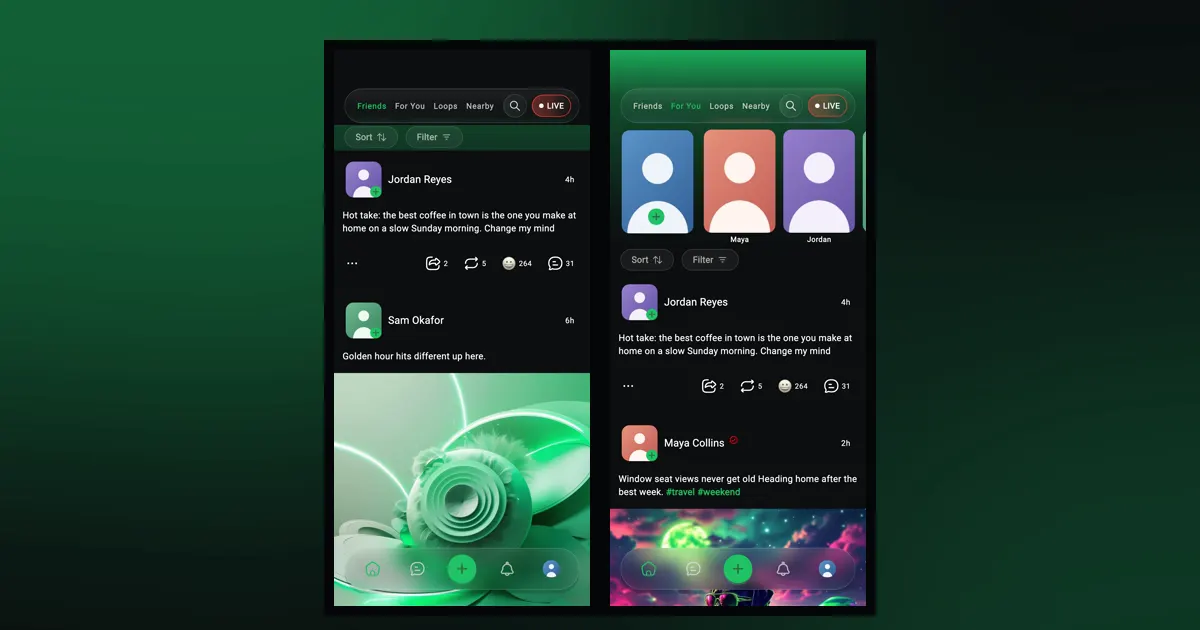
For You is the tab WeLoop opens on, and it works without an account. You'll see posts from across WeLoop, with a card near the top that says "Join WeLoop Today!" Tap it whenever you're ready to create an account, or just keep scrolling.
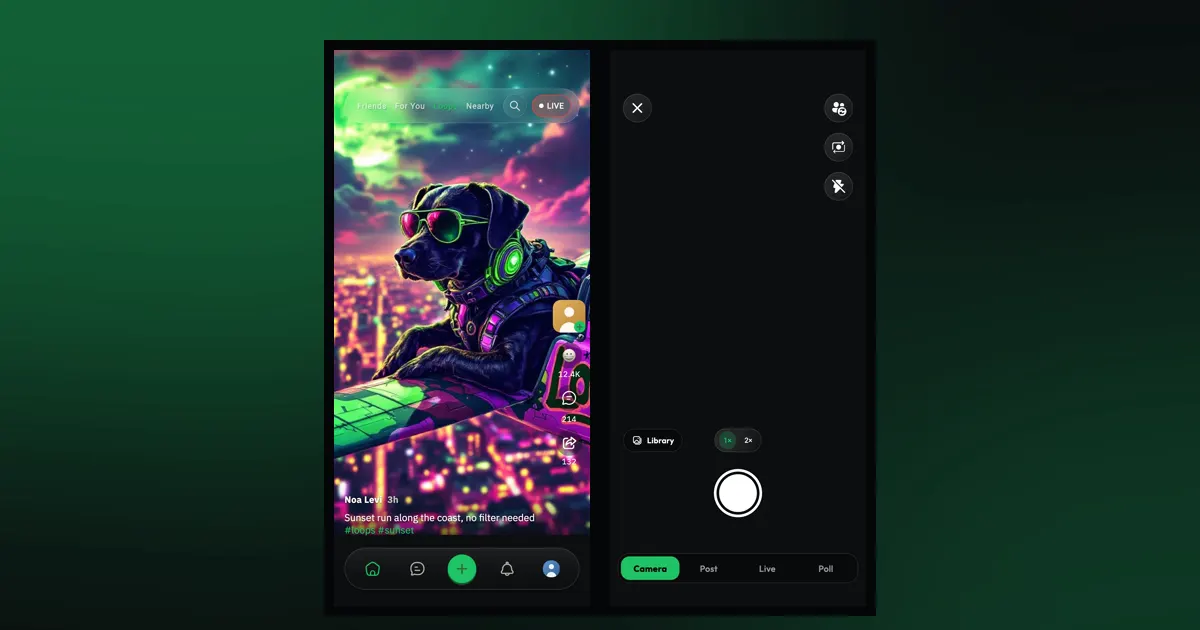
Loops, WeLoop's full-screen short-video feed, also plays without an account. Swipe up for the next video. Our Loops guide covers the gestures, like holding for 2× speed.
The search button at the top of the feed works too. You can look up posts, people and groups. Opening a group asks you to sign in.
You can open someone's profile to see their posts, and open a post's comments to read the conversation. Following someone, messaging them, or seeing their followers and following lists asks you to sign in.
Those two tabs need an account. As a visitor, you'll see "Sign up for an account" with a "Sign up" button instead of posts. That makes sense once you know what they show:
Without an account, posts with a sensitive rating are hidden behind a notice that says "Some people might find this content disturbing", with a "View anyway" button. Nothing is shown until you tap.
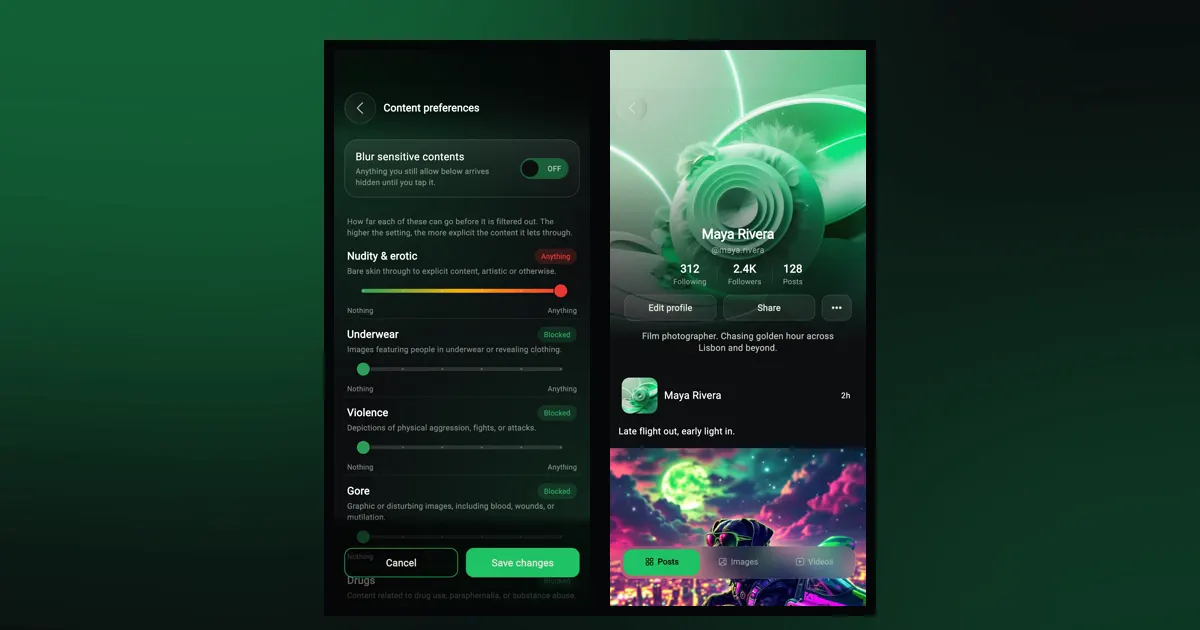
Once you sign up, you choose this yourself in "Content preferences": nine categories, each from Blocked to Anything, plus a switch to blur sensitive posts. Our content preferences guide explains each one.
Tapping any of these as a visitor takes you to sign in or sign up:
Some buttons simply don't appear until you're signed in, such as reactions, reposts, the post menu, the call button on profiles, the "LIVE" button and the Sort and Filter controls on the feed.
An account turns WeLoop from something you watch into something you take part in:
Not to look around. You can scroll the For You feed, watch Loops, search, and open profiles before signing up.
Friends and Nearby. As a visitor you'll see a Sign up prompt on those tabs instead of posts.
No. Posting, chat, reactions, following and going live all ask you to sign in first.
Guide
WeLoop has four feeds: Friends, For You, Loops and Nearby. Here's what each one shows, how to sort and filter them, and where stories and lives fit in.
How-to
Record up to 2 minutes or pick from your library, edit with filters, FX and the Expert editor, then post. Plus how to swipe, speed up and rewatch Loops.
Safety
How to block and report on WeLoop, mute chats, run private groups, manage location, sign-ins and notifications, and delete your account.
Free on iPhone and Android. Set it up your way in a minute.